VISIONDIR FREE IMAGE STUDIO

Flux 2 Pro
Free Alternative

Explore Flux 2 Pro inspiration, then turn your own prompt into a free image on VisionDir.

3 free images / day60-second free queueNo account credits deducted

Create a free image

VisionDir Free Studio

Sign in to explore your ideas with your daily free image allowance.

Aspect ratio

Today’s free allowance3 / 3

Shared across free tools. Resets at 00:00 UTC. Failed generations release the slot.

Model reference preview

Flux 2 Pro reference example

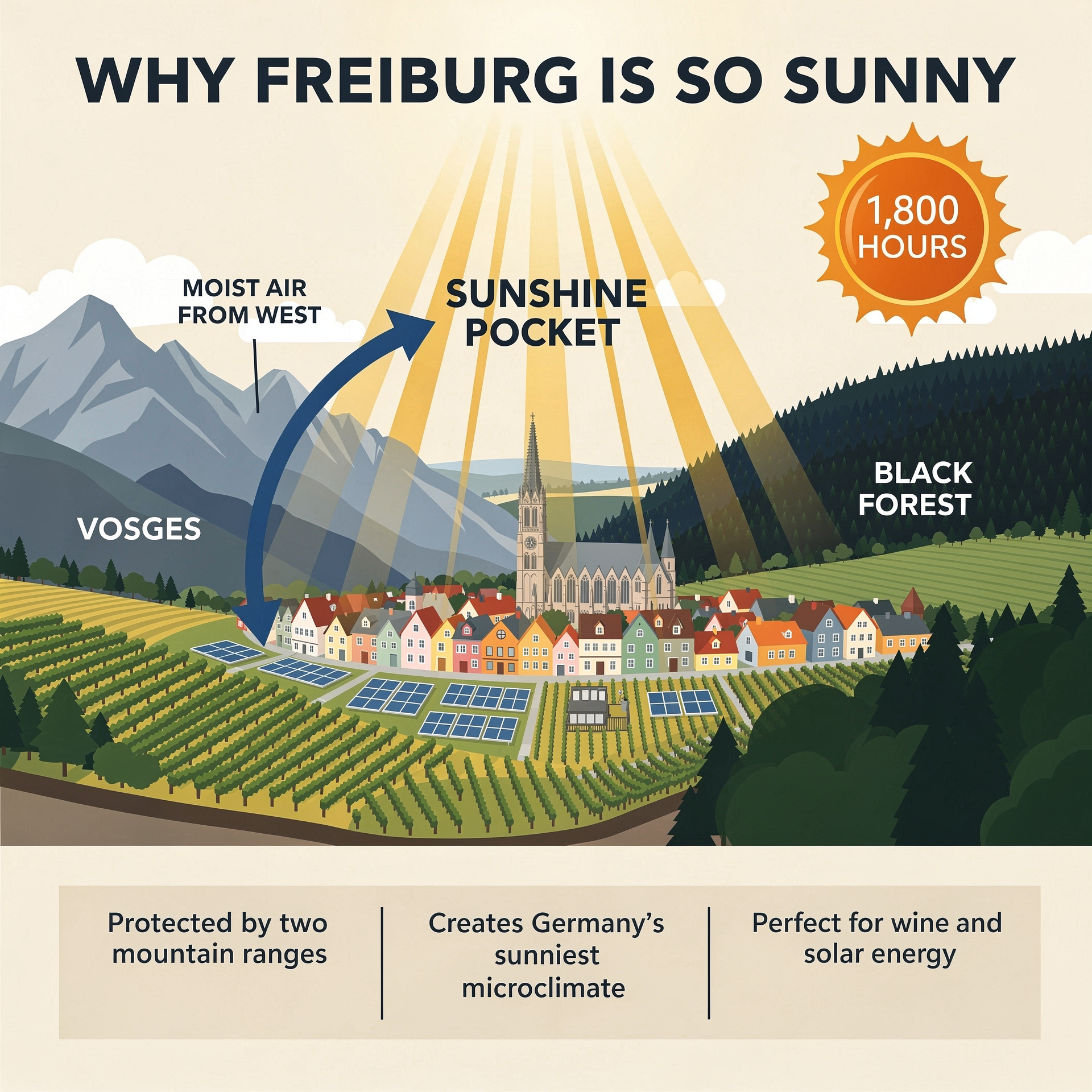
Flux 2 Pro reference example. Explore the prompt to inspire your own creation.

Your history

Sign in to view your generations.

EXPLORE FLUX 2 PRO

Structured graphics and visual explanations

The Flux 2 Pro weather infographic reference organizes a complex explanation into a readable geographic scene. Use that layout as inspiration for educational graphics and presentation visuals. Start with a strong visual hierarchy, then review any labels or factual relationships before sharing.

Flux 2 Pro Weather infographic
Flux 2 Pro · REFERENCE EXAMPLE

Weather infographic

Educational weather infographic titled 'WHY FREIBURG IS SO SUNNY' in bold navy letters at top on cream background, illustrated geographic cross-section showing sunny valley between two mountain ranges, left side blue-grey mountains labeled 'VOSGES', right side dark green mountains labeled 'BLACK FOREST', central golden sunshine rays creating 'SUNSHINE POCKET' text over valley, blue arrow from left showing 'MOIST AIR FROM WEST', orange sun icon with ‘1,800 HOURS' text in top right corner, Freiburg city with church spire and colorful houses with blue solar panels in valley center, green and yellow vineyard terraces on hillsides, bottom beige panel with three facts in clean sans-serif text: First fact: 'Protected by two mountain ranges', Second fact: 'Creates Germany's sunniest microclimate', Third fact: 'Perfect for wine and solar energy', facts separated by vertical divider lines, flat illustration style with soft gradients, educational geography poster aesthetic

Flux 2 Pro prompt tips

Choose one concept, one dominant diagram and a limited palette. Leave room for labels rather than filling every part of the image with detail.

Ideas to explore

  • Infographic drafts
  • Presentation visuals
  • Educational cutaways

01 · Describe

Choose a subject, setting and light. Free generation supports text prompts and five aspect ratios.

02 · Wait 60 seconds

Free requests enter a short queue before they are submitted. No account credits are charged.

03 · Create and keep

Download the result or revisit it in your image history. Original-model tools remain available separately.

Flux 2 Pro free alternative FAQ

What can I explore on the Flux 2 Pro free page?

The Flux 2 Pro weather infographic reference organizes a complex explanation into a readable geographic scene. Use that layout as inspiration for educational graphics and presentation visuals. Start with a strong visual hierarchy, then review any labels or factual relationships before sharing.

How do I use the original Flux 2 Pro?

Use the paid-model button to open the original Flux 2 Pro tool. Its generation settings and credit pricing are shown on that page.

Do I need to pay or use credits?

Sign in for up to 3 free images each UTC day. Free jobs are recorded with a cost of 0 account credits.

Can I upload an image for editing?

This free tool supports text-to-image only. Open the original model tool for reference-image and editing options.

Flux 2 Pro Free Alternative & Image Prompts | VisionDir